


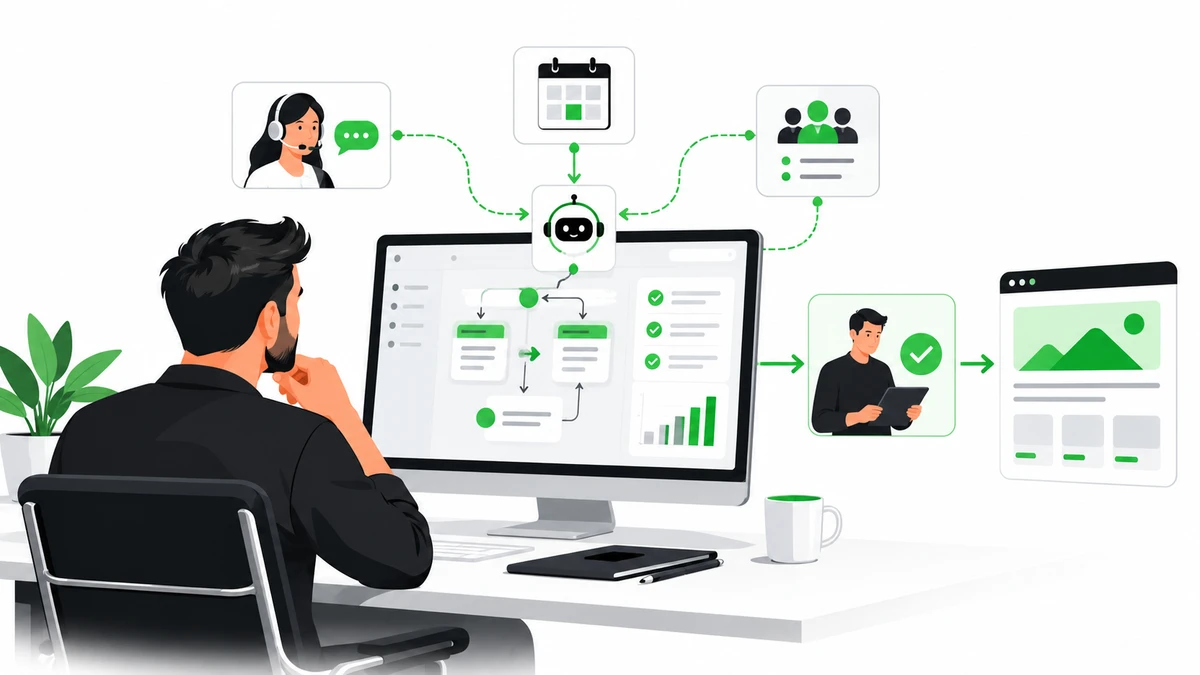
An AI agent can do more than answer a question. Given approved information and limited access to business tools, it can carry out a defined sequence: classify a request, look up a record, draft a response, and send the work to a person when judgment is needed.
That makes AI agents for small business a practical topic—not because every business needs a fully autonomous system, but because many teams repeat the same digital tasks every day. The best starting point is one narrow workflow with a clear owner, measurable results, and a safe way to hand work back to a human.
What is an AI agent?
An AI agent is software that uses an AI model to interpret a goal, consult approved context, and use permitted tools to complete one or more steps. For example, a website assistant might collect a project enquiry, check which service it relates to, create a CRM lead, and prepare a reply for review.
An ordinary chatbot mainly responds in a conversation. An agent can also interact with connected systems. That added capability is useful, but it raises the stakes: every tool connection needs clear permissions, limits, and a fallback.
7 practical AI agent use cases for small businesses
1. Qualify and route website enquiries
An agent can gather a visitor’s goals, timeline, budget range, and preferred contact method; label the enquiry; and send it to the right person or CRM pipeline. It can also draft a tailored acknowledgement using approved service information.
Keep a person involved: Review unusual requests and any response that makes a promise about price, delivery dates, or results.
2. Triage customer-support requests
An AI support agent can search an approved help centre, answer routine questions, categorize a ticket, and collect missing details before escalating it. This is most useful when the answer already exists in reliable documentation.
Keep a person involved: Escalate complaints, account-security concerns, billing disputes, and questions the agent cannot answer with confidence.
3. Schedule appointments
With limited calendar access, an agent can offer available time slots, confirm a booking, send a reminder, or suggest a reschedule. A clear confirmation step prevents misunderstandings about time zones, meeting length, or the people invited.
Keep a person involved: Require confirmation before cancelling an important meeting or changing a booking outside the approved rules.
4. Answer order and delivery questions
For an online store, an agent can look up order status and explain published shipping or return policies. It can collect information for a return request without automatically issuing a refund or changing an order.
Keep a person involved: Require approval for refunds, exceptions to policy, address changes after dispatch, or other financial actions.
5. Process incoming documents
An agent can extract fields from an invoice, form, or enquiry attachment and prepare a structured record for an accounting or business system. Validation rules can flag missing totals, mismatched fields, or unreadable documents.
Keep a person involved: Verify financial records and sensitive personal data before they are saved or acted on.
6. Prepare sales research and follow-ups
An agent can summarize public information and existing CRM notes, identify relevant context, and draft a follow-up email for a salesperson. The goal is to reduce preparation time while leaving the relationship and final message with a person.
Keep a person involved: Review claims, personalization, recipient lists, and every message before it is sent.
7. Find answers in internal knowledge
A private assistant can search approved company documents and answer staff questions about processes, product details, or internal policies. If it cannot find a supported answer, it should say so and point to the right contact or document.
Keep a person involved: Restrict access by role so the assistant cannot expose documents to employees who should not see them.
AI agent vs. chatbot: which does your business need?
Choose a chatbot when… | Consider an AI agent when… |
|---|---|
Visitors need answers from a small, stable set of FAQs. | A request needs several steps across approved systems. |
You want to guide a visitor to a page or contact form. | The system must retrieve or update a record, book a slot, or create a task. |
A simple decision tree is reliable enough. | The process can be described clearly but requests arrive in varied language. |
Start with the simplest solution that meets the need. A well-designed form, search page, or rule-based automation may be more reliable and less expensive than an AI agent.
How to choose your first AI automation pilot
Look for a task that is frequent, repetitive, and easy to check. A good first pilot has:
A clear beginning and end.
Reliable source information and documented rules.
A result that can be measured before and after.
Low impact if the system pauses or asks for help.
A human owner who can review exceptions.
Avoid starting with a process that makes high-impact decisions, handles sensitive data without established controls, or depends on undocumented knowledge held by one person.
A safe rollout plan
Map the current workflow. Record each step, system, decision, exception, and handoff. Measure the current completion time, error rate, or backlog.
Choose a narrow task. Define exactly what the agent may do—and what it must never do.
Prepare trusted information. Remove outdated instructions, identify who can access each source, and decide how updates will be reviewed.
Limit tool permissions. Give the agent only the access it needs. Start with read-only access or draft-only actions where possible.
Test realistic cases. Include incomplete requests, conflicting instructions, unusual inputs, and attempts to make the agent ignore its rules. Check accuracy and escalation behavior, not just fluent answers.
Pilot with human review. Use the agent on a small set of real tasks while a person checks the work before any consequential action.
Measure and maintain it. Track correct completion, escalation rate, time saved, operating cost, and incidents. Update the instructions and tests whenever the workflow changes.
For businesses operating in the EU, the rules that apply depend on the system’s purpose and use. Treat compliance as a design requirement and get qualified advice for your specific case rather than assuming that one checklist covers every deployment.
What does custom AI agent development cost?
There is no useful one-size-fits-all price for an AI agent. The scope depends on what it must do, the systems it connects to, the quality of existing data and documentation, its security requirements, and the testing and support needed after launch.
Ask a development partner to separate the initial build from ongoing model usage, hosting, integrations, monitoring, and maintenance. A small pilot with one workflow is usually easier to estimate and evaluate than a broad “automate the business” project.
Before approving a build, ask:
Which systems will the agent access, and with what permissions?
Which actions require human approval?
How will errors be reported, reviewed, and corrected?
What are the ongoing infrastructure and model costs?
Who owns the prompts, code, data connections, and maintenance plan?
Frequently asked questions
Can a small business use AI agents without replacing its software?
Often, yes. An agent can be designed to work with existing tools, such as a website, calendar, CRM, or support system. The effort depends on whether those tools provide secure, supported ways to connect.
Are AI agents better than chatbots?
Not always. A chatbot is often the better choice for answering common questions or directing visitors. An agent is more appropriate when a defined task requires several steps or controlled interaction with business systems.
Can an AI agent send emails or issue refunds automatically?
It may be technically possible, but it is safer to begin with drafts and human approval. If an action affects money, customer rights, confidential information, or a business commitment, define explicit authorization and exception rules first.
How do I know if an AI automation is working?
Compare it with a baseline. Depending on the workflow, useful measures include correctly completed tasks, escalation rate, processing time, rework, customer satisfaction, and total operating cost. Track errors as well as successful completions.
Should I build a custom AI agent or use an off-the-shelf tool?
Use an off-the-shelf product when it already supports your workflow, integrations, permissions, and data requirements. Consider custom AI agent development when you need a specific workflow across your existing systems or need more control over the experience and safeguards.
Start with one workflow
The strongest AI automation for a small business is not the most autonomous one. It is the one that solves a real, repeated problem, fits the tools the team already uses, and makes it easy for a person to take over.
If you are planning an AI workflow for your website, customer support, or internal tools, talk with DevStudioAl about a focused first pilot.
Loading comments...