


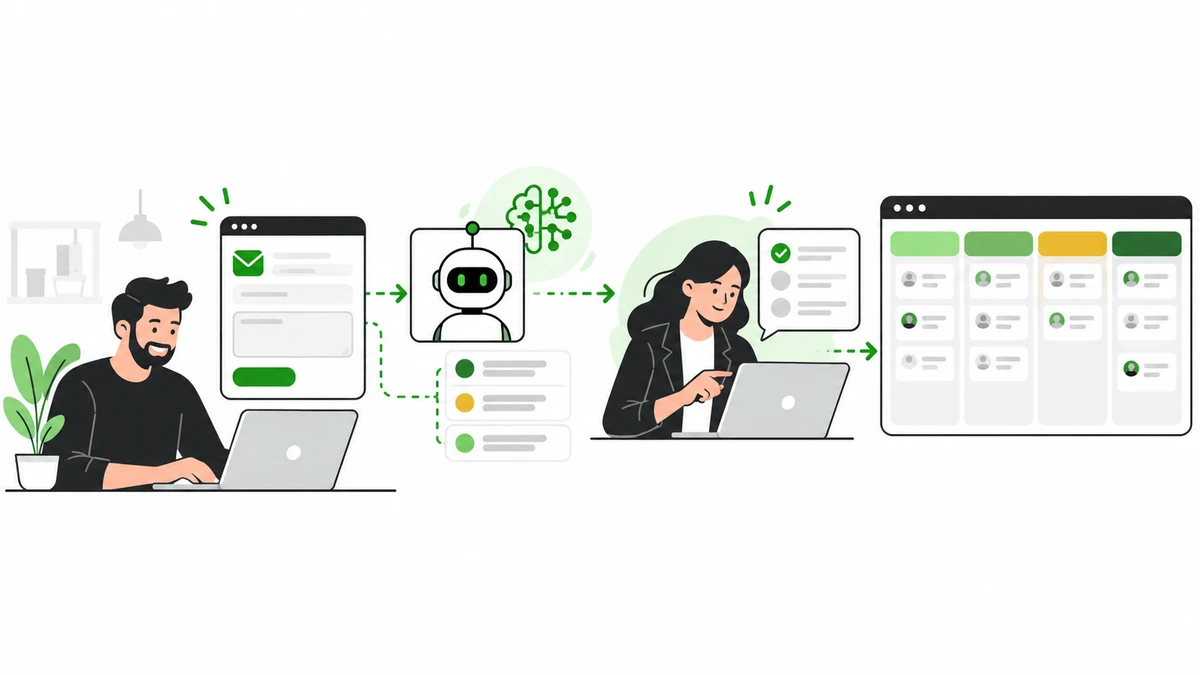
A website enquiry should not disappear into an inbox and wait for someone to notice it. But replying instantly to every message with an AI bot is not the answer either.
AI lead qualification can help a small business capture the details a visitor shares, organize the request, and route it to the right person or sales process. The important design choice is to let AI structure and summarize the information—not make unreviewable decisions about which people deserve a response.
Here is a practical way to automate website leads with AI while keeping your team in control.
What AI lead qualification actually does
In a well-scoped workflow, an AI system reads an enquiry and returns structured information such as:
The service or product the person asked about.
Their stated goal, timeline, or constraints.
The best team or pipeline for follow-up.
Any missing information that would help the conversation.
A short summary and a confidence level for human review.
Rules in your application or CRM then decide what to do with that output. For example, a request about a custom web app might go to the software team, while a message with too little information is marked “needs review.”
This is different from asking an AI model to decide whether a person or company is “valuable.” Keep qualification criteria tied to the actual project requirements, and do not use sensitive personal characteristics to rank or exclude people.
A safe website-to-CRM workflow
Step | What happens | Useful safeguard |
|---|---|---|
1. Capture | A visitor submits a form or asks a question. | Collect only information needed to respond. |
2. Validate | The system checks required fields, formats, spam signals, and consent where applicable. | Apply server-side validation and rate limits. |
3. Structure | AI summarizes the request and fills a fixed set of fields. | Require a defined output format and preserve the original enquiry. |
4. Route | Business rules assign the lead to a queue, service, or person. | Send uncertain or unusual cases to a human. |
5. Save | The system creates or updates a CRM record. | Check for duplicates and log the result. |
6. Respond | The visitor receives an acknowledgement or a reviewed reply. | Do not let the model promise prices, outcomes, or delivery dates. |
7. Learn | The team reviews errors and measures the workflow. | Keep a human owner responsible for changes. |
The AI should not connect directly to every CRM action with unrestricted permissions. Use a small set of approved operations—for example, “create a lead,” “add a summary,” and “assign to a queue”—and validate the model’s output before calling them.
What should your form ask?
Start with the shortest form that gives the team enough context to respond. For a web development enquiry, that might be:
Name and business email.
Company or website, if relevant.
What the visitor wants to build or improve.
Preferred timeline.
Optional budget range, if your team uses it to scope work.
A clear way to request a response and a link to your privacy information.
Do not request passwords, payment-card details, health information, or other sensitive information in a general enquiry form. If the visitor’s message includes unnecessary sensitive details, avoid forwarding them broadly to AI tools or CRM notes.
Use AI for language; use rules for decisions
People describe similar projects in different words. AI can help map “customer portal,” “member dashboard,” and “client login area” to a shared service category. It can also summarize a long message so a team member can scan it quickly.
Keep objective decisions in explicit rules wherever possible. A workflow can route by requested service, selected region, required expertise, or a stated deadline. If a request does not clearly match a rule, route it for review instead of silently rejecting it.
A useful lead record might contain:
service_requested: custom_web_app
summary: Visitor needs a client portal for an existing service business.
timeline: within_3_months
missing_information: approximate user count
route: web_app_team
confidence: medium
review_required: true
The example is a structured summary, not a verdict about whether the visitor is worth contacting. Keep the original message available so a person can check whether the summary is accurate.
How to launch the first pilot
1. Map the current process
Write down where enquiries arrive, who reads them, how the team decides what happens next, and where the information is saved. Note current response times, duplicate records, missed enquiries, and common follow-up questions.
2. Choose one narrow request type
Start with a category the business already understands, such as enquiries about web applications. Avoid trying to automate every page, sales channel, and decision at once.
3. Define the output and fallback
Specify the allowed categories, fields, and routing rules. Decide what happens when the request is unclear, the CRM is unavailable, the AI service times out, or confidence is low. A safe fallback can simply store the original message and alert a person.
4. Connect the minimum necessary tools
Use the supported form, webhook, or CRM interface. Protect credentials on the server, limit permissions, and avoid placing private keys in browser code. Log system outcomes without storing more personal data than the team needs.
5. Test before sending replies automatically
Use examples of real enquiry types with personal information removed. Include short messages, mixed requests, spam, missing details, and instructions embedded in the message that try to change the system’s rules. Check both classification accuracy and whether the workflow escalates uncertain cases.
6. Run in review mode
Let the system create summaries and suggested routes while a team member approves them. Compare the suggestions with the team’s decisions and refine the rules before considering any additional automation.
7. Measure the business outcome
Track a small set of indicators:
Percentage of enquiries successfully captured and saved.
Time from submission to first human response.
Percentage routed to the right team on the first attempt.
How often a person corrects the AI summary or category.
Duplicate, spam, or lost enquiries.
Cost per successfully processed enquiry.
Do not measure success only by the number of messages the AI sends. The goal is a better, more reliable follow-up process.
Common mistakes to avoid
Automating before documenting the process. If team members use different rules, the system will reproduce that inconsistency.
Treating an AI confidence score as proof. Confidence is only a signal; measure actual errors against reviewed examples.
Rejecting leads automatically. Use a “needs review” route for uncertain or out-of-scope enquiries.
Letting the model invent facts. Ground replies in current service information and keep unsupported pricing or delivery claims out of automated messages.
Connecting too many tools too soon. Start with one form, one CRM action, and one clear owner.
Skipping privacy and security review. Understand what information is sent to each provider, who can access it, and how long it is retained.
Frequently asked questions
Can AI qualify leads from my existing contact form?
Often, yes. The form can pass a validated enquiry to a server-side workflow, where an AI model structures or summarizes it before an approved CRM action. The exact setup depends on the form and CRM integration options.
Do I need an AI chatbot to qualify website leads?
No. A standard form can collect enough information for many businesses. Add a chatbot only if visitors benefit from asking questions conversationally or need help choosing what to submit.
Should AI send the first sales reply automatically?
Start with a draft or acknowledgement that makes no promises. Keep a person responsible for detailed proposals, prices, eligibility decisions, or replies to sensitive or unusual requests.
How can I keep AI from losing or changing enquiry details?
Preserve the original submission, validate required fields, use a fixed output structure, and test the workflow with reviewed examples. If any step fails, save the enquiry and alert a person rather than silently dropping it.
Is a custom AI lead workflow better than an off-the-shelf tool?
An off-the-shelf tool is a good fit if it supports your form, CRM, routing rules, privacy needs, and reporting. A custom workflow may make sense when your process spans several systems or requires behavior the existing tools cannot provide.
Make every enquiry easier to follow up
AI can help turn a busy inbox into an organized queue, but the quality of the workflow depends on clear rules, good integrations, and a human fallback. Start with one enquiry type, keep the original message, and measure whether the team responds more reliably.
If you want to connect an AI lead workflow to your website or CRM, talk with DevStudioAl about a focused implementation.
Loading comments...