


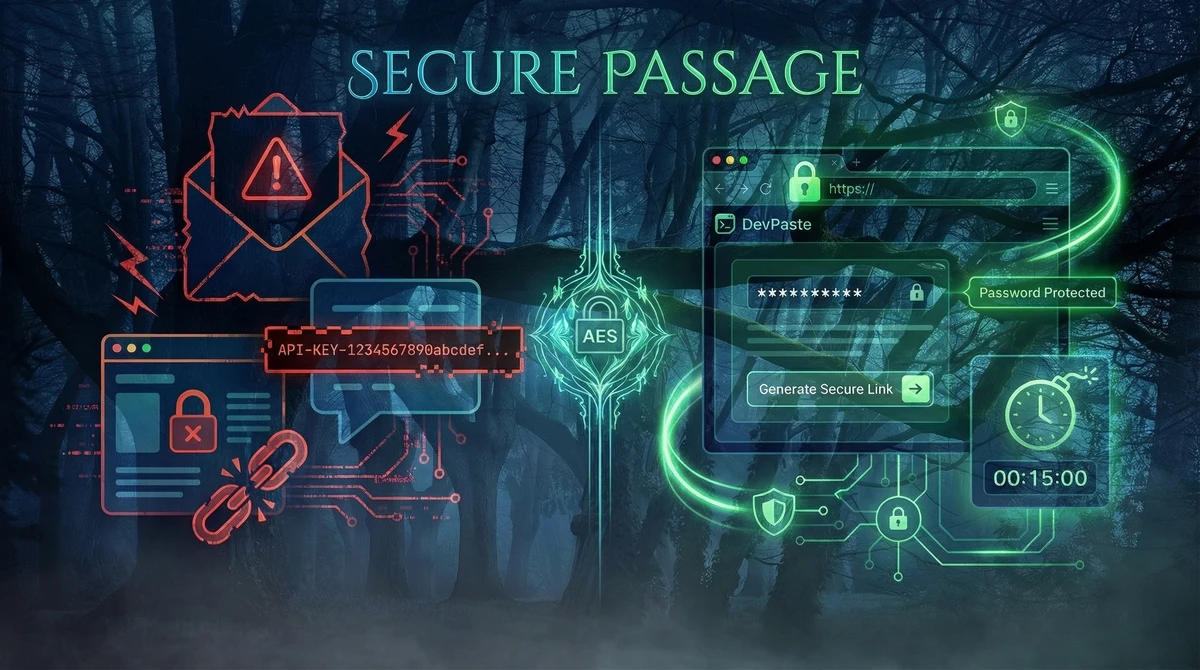
You need to send a password, API key, database credentials, or other sensitive info to a teammate. Email? Slack? Chat? Every single one of those channels stores your data in plaintext where it can be read, hacked, or leaked.
DevPaste (paste.devstudioal.com) solves this with zero‑knowledge end‑to‑end encryption. Your data is encrypted in your browser before it ever touches our servers. We literally cannot read what you paste. Here's how it works and why it's the secure sharing tool developers and teams need in 2026.
How DevPaste Works (Step by Step)
DevPaste is simple but built with enterprise‑level security:
1. Paste Your Sensitive Content
Enter your password, API key, SSH credentials, database config, or any text you need to share securely.
2. Set Expiry Time
Choose from 5 minutes to 30 days. After expiry, the content is permanently deleted from our servers.
3. Enable Burn‑After‑Read (Optional)
The message self‑destructs the moment someone opens it. No re‑opens, no copies, no traces.
4. Add Password Protection (Optional)
Extra layer: share the password separately via phone, SMS, or in‑person. Double security.
5. Generate Encrypted Link
AES‑256‑GCM encryption happens entirely in your browser. We receive only ciphertext.
6. Share the Link
Send via email, Slack, Discord, or any channel. Recipient opens → instant decryption → done.
The magic: The decryption key lives only in the URL fragment (after #). Browsers never send fragments to servers, so DevPaste stores only encrypted gibberish it cannot decrypt.
Why DevPaste Is Different From Other Paste Tools
Most pastebins (Pastebin.com, GitHub Gists, etc.) store your content in plaintext or weak encryption. Here’s the comparison:
Feature | Regular Pastebins | DevPaste (paste.devstudioal.com) |
|---|---|---|
Encryption | None or server‑side | Client‑side zero‑knowledge AES‑256 |
Server access to content | Full read access | Zero access (only ciphertext) |
Burn‑after‑read | No | Yes (optional) |
Custom expiry | Limited | 5min to 30 days |
Password protection | No | Yes (extra layer) |
Permanent deletion | No | Yes (after expiry or burn) |
Real Use Cases for DevPaste
1. Sharing Database Credentials
PostgreSQL: myapp_prod
Host: db.prod.example.com
User: app_user
Password: [PASTE HERE]
Set 1‑hour expiry, burn‑after‑read → teammate connects once, it’s gone.
2. API Keys and Tokens
Stripe Secret Key: sk_live_...
OpenAI API Key: sk‑...
Cloudinary Upload Token: [PASTE HERE
Password‑protected + 24h expiry → secure handoff.
3. SSH Keys or Temporary Access
ssh‑rsa AAAAB3NzaC1yc2E... user@temp‑serverBurn‑after‑read → teammate logs in once, access vanishes.
4. Config Files and Secrets
DATABASE_URL=postgres://...
REDIS_URL=redis://...
JWT_SECRET=[PASTE HERE]
Share with ops team, self‑destructs after use.
5. Quick Security Incidents
🚨 Emergency: Change these NOW
Admin password: [PASTE HERE]
API token: [PASTE HERE]
5‑minute expiry → urgent sharing without permanent storage.
How the Zero‑Knowledge Encryption Actually Works
Most people don’t understand why “end‑to‑end” matters. Here’s the simple version:
You paste → browser encrypts with AES‑256‑GCM (military‑grade standard).
Encrypted blob sent to server → we store only gibberish.
URL contains decryption key (in the #fragment).
Recipient opens link → browser decrypts locally, shows content.
Server never sees plaintext → we cannot read, log, or misuse your data.
Proof: Even if DevPaste servers are hacked, attackers get only encrypted nonsense without the URL fragment (which lives only in your browser).
DevPaste cannot read your pastes. We don’t want to. We don’t need to. Zero‑knowledge means trustless security.
Why Regular Sharing Tools Are Dangerous in 2026
Email and Chat (Slack, Discord, Teams)
Stored forever in plaintext.
Company admins can read everything.
Hackable if accounts are compromised.
Standard Pastebins
No encryption or server‑side only (they have your keys).
Public by default or easily discoverable.
No auto‑delete → content lives forever.
Password Managers
Great for storage, but not for quick ad‑hoc sharing.
Require accounts, invites, or manual setup.
DevPaste fills the gap: instant, secure, temporary sharing without accounts, logins, or permanent storage.
DevPaste: Built by Developers, for Developers
We built DevPaste at DevStudioAl because we needed it ourselves. When deploying client projects, sharing config files, database creds, or temporary access is a daily pain.
Key design principles:
No accounts, no sign‑up → instant use.
Browser‑only encryption → server cannot spy.
Smart defaults → 24h expiry, auto‑burn options.
Works everywhere → no extensions, no downloads.
Try it now: paste.devstudioal.com
Security Proof and Open Source
DevPaste uses AES‑256‑GCM, the same encryption standard as HTTPS and secure messaging apps. The zero‑knowledge model is proven in tools like Signal and ProtonMail.
Want to verify? The frontend encryption is open source on GitHub. You can audit how the browser encrypts before sending anything to our servers.
Get Started in 30 Seconds
Go to paste.devstudioal.com
Paste your sensitive content
Set expiry and options
Share the link → done
No sign‑up. No tracking. No plaintext storage.
When You Need More Than DevPaste
DevPaste is perfect for temporary, secure sharing. For production apps with persistent user data, secure dashboards, or complex workflows, talk to us about:
Custom web apps and SaaS products.
CRMs and internal dashboards.
Secure APIs and authentication systems.
Book a free consultation with DevStudioAl to discuss building secure, scalable tools for your business.
Have you tried DevPaste? Share your use case in the comments. Need a custom secure sharing tool for your team? Let us know what you’re building.
Loading comments...